The NIIMBOT D110 vs D11 decision looks simple until you compare the details. Both are compact, inkless Bluetooth label makers designed for quick household organization, but the current D11H version offers higher print resolution while the D110 remains smaller, lighter and usually less expensive. That difference matters when you move from basic pantry labels to tiny text, QR codes and information-dense stickers.
For most US households that want labels for bins, spice jars, cables, school supplies and storage drawers, the D110 is the practical value choice. The D11H is worth the step up when print sharpness matters more than the lowest price. This guide explains the differences without pretending that either model is a desktop shipping-label printer or a professional laminated label system.
If you are still comparing brands and form factors, start with our portable label maker guide. Shoppers who prefer a physical keyboard rather than phone-based design should also compare our Brother PT-D220 vs PT-H110 comparison.
Our Top Picks
Best value for simple home labels: NIIMBOT D110 — Jump to review →
Best for sharper small text and QR codes: NIIMBOT D11H — Jump to review →
NIIMBOT D110 vs D11: The Short Answer
Buy the NIIMBOT D110 if you want an inexpensive, pocket-size label maker for straightforward home organization. Its 203-dpi output is adequate for clear names, dates, simple icons and short lines of text. The compact body is easy to keep in a drawer, and the mobile app provides far more design flexibility than a basic handheld model with a small built-in screen.
Choose the current NIIMBOT D11H if you regularly print very small type, QR codes, barcodes or more detailed layouts. Its 300-dpi print head creates cleaner edges and gives compact labels a more polished appearance. The D11H is not dramatically larger, but it is heavier and typically costs more. The benefit is visible quality rather than a completely different workflow.
NIIMBOT D110 vs D11 Comparison
| Feature | NIIMBOT D110 | NIIMBOT D11H / D11 |
|---|---|---|
| Best for | Everyday home organization | Small text, dense labels and QR codes |
| Print resolution | 203 dpi | 300 dpi |
| Label width | 8–15 mm | 8–15 mm |
| Effective print width | Up to 12 mm | Up to 12 mm |
| Connectivity | Bluetooth mobile app | Bluetooth mobile app |
| Power | Rechargeable battery | Rechargeable battery |
| Charging | USB-C on current version | USB-C on current version |
| Approximate size | 98 × 76 × 30 mm | 109 × 78 × 30 mm |
| Approximate weight | 149 g | 199 g |
| PC printing | No | No |
Specifications can vary slightly by region and production revision. Check the current product listing and label compatibility before ordering.
What Is the Difference Between the NIIMBOT D110 and D11?
The most important difference is resolution. The D110 prints at 203 dpi, while the upgraded D11H is rated at 300 dpi. DPI describes the number of printed dots within an inch. More dots allow smoother curves, better definition in small characters and more reliable reproduction of fine details. For a large, bold word such as “PASTA,” the difference may be modest. For a small expiration date, medication organizer label or QR code, it becomes easier to notice.
Physical size is the second meaningful difference. The D110 is approximately 98 × 76 × 30 mm and about 149 grams, whereas the D11H is approximately 109 × 78 × 30 mm and about 199 grams. Both are genuinely portable, but the D110 is the easier model to slip into a small organizer pouch or crowded drawer.
The core experience is otherwise similar. Both models use direct thermal printing, connect to a phone by Bluetooth and rely on the NIIMBOT app for layout creation. Neither requires ink cartridges. Both accept narrow self-adhesive label rolls in the same general width range, although buyers should confirm the exact roll code and size supported by the seller.
Detailed Reviews
Best Value Mini Label Maker: NIIMBOT D110
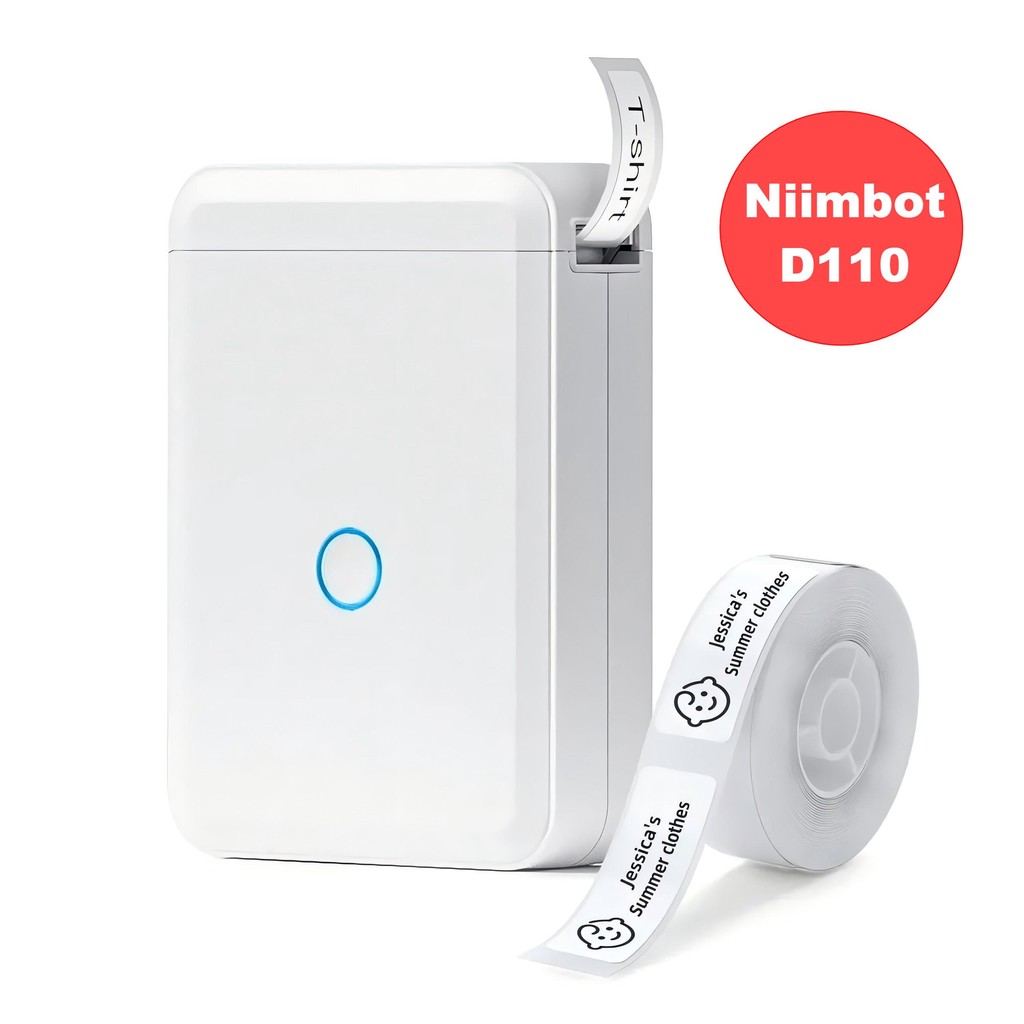
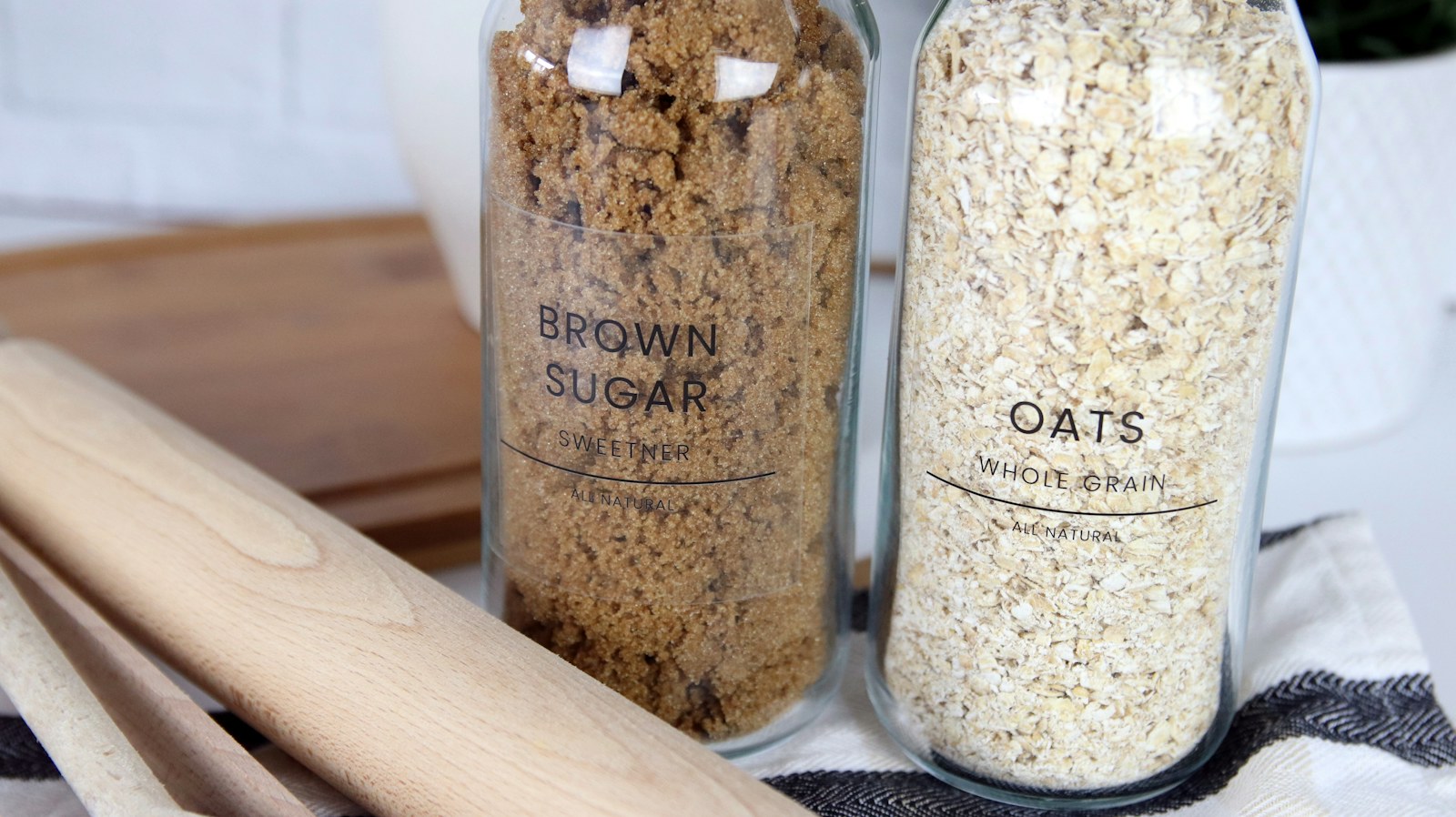
The NIIMBOT D110 is the stronger choice for buyers who mainly need clear, compact labels and do not want to pay extra for resolution they may rarely notice. Its small body, rechargeable battery and phone-based editor make it convenient for quick jobs around a kitchen, home office, craft area or child’s school supplies. You can store it beside the label rolls, open the app and print a short batch without setting up a computer.
Its 203-dpi output is best suited to bold names, dates, simple icons and uncomplicated one- or two-line layouts. The printer can produce barcodes and QR codes, but very dense designs benefit from larger labels and careful testing. For pantry jars, charging cables, storage bins and drawer dividers, the D110 offers the essential features at a sensible entry price.
Why we recommend it: The D110 covers the most common home-labeling jobs in a smaller and lighter package. It is the better value when legibility and convenience matter more than extremely fine detail.
Key specifications
- Print technology: Direct thermal; no ink or toner
- Resolution: 203 dpi
- Supported label width: Approximately 8–15 mm
- Effective print width: Up to approximately 12 mm
- Connection: Bluetooth through the NIIMBOT mobile app
- Compatibility: iOS and Android phones
- Approximate size: 98 × 76 × 30 mm
- Approximate weight: 149 g
- Best for: Pantry jars, cables, bins, school items and basic household organization
What we like
- Compact shape is easy to carry and store.
- Low operating complexity makes it approachable for first-time buyers.
- App-based design supports fonts, icons, borders, dates and basic codes.
- Direct thermal printing eliminates ink-cartridge purchases.
- Lower typical purchase price makes sense for occasional household use.
Potential flaws
- 203-dpi printing is less crisp than the D11H for tiny characters and detailed graphics.
- It depends on a phone and app rather than offering a built-in keyboard.
- Thermal labels can fade with prolonged heat, sunlight or harsh conditions.
- It is not intended for wide shipping labels or desktop-scale business output.
Best Print Quality: NIIMBOT D11H
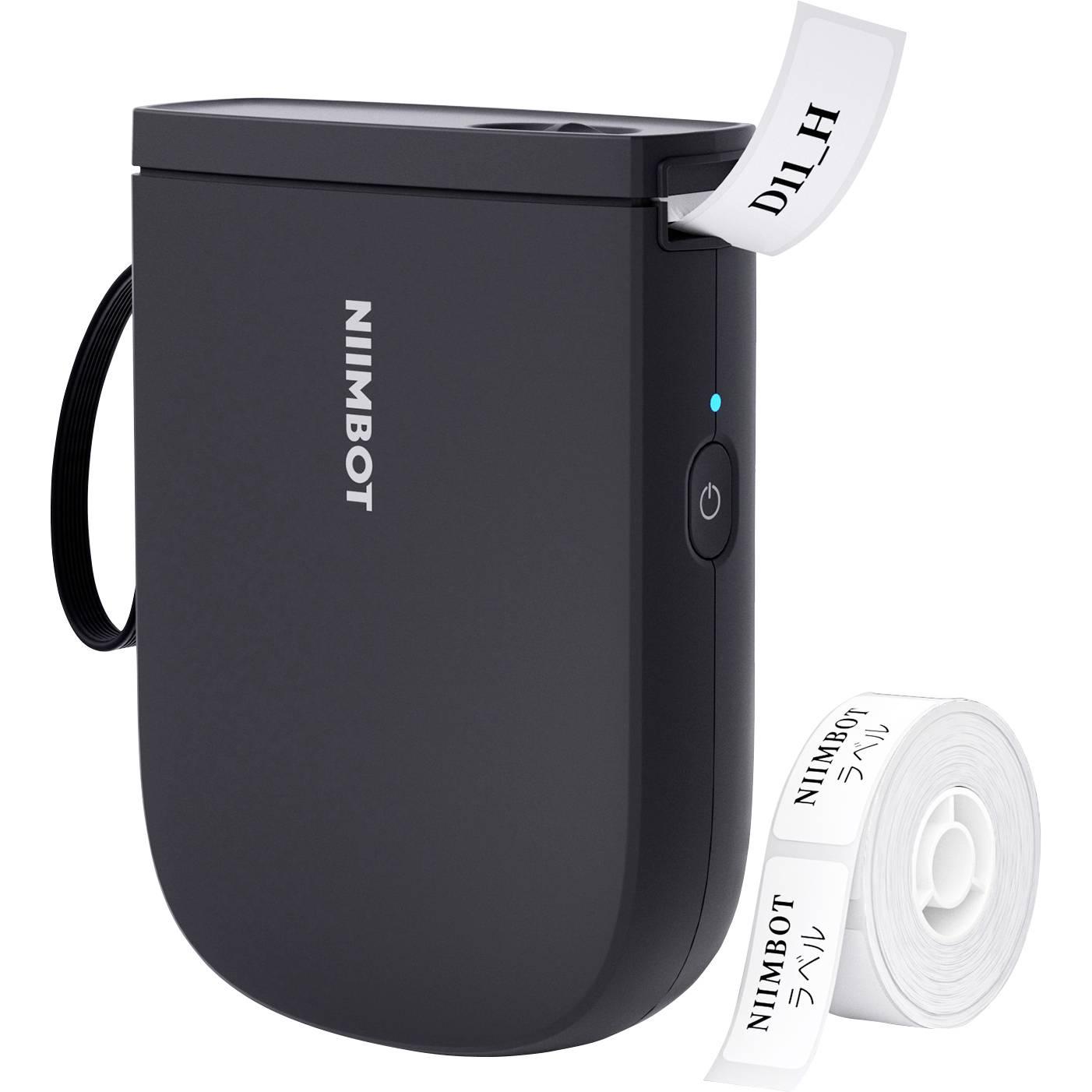
The NIIMBOT D11H is the current upgraded version shoppers often mean when comparing the D11 with the D110. Its main advantage is a 300-dpi print head. That higher resolution makes small lettering, thin borders, compact barcodes and QR codes look cleaner, particularly when the design uses most of the available 12-mm print area.
The D11H still behaves like a small mobile label maker rather than a desktop printer. You create labels in the NIIMBOT app, connect over Bluetooth and print on compatible direct-thermal rolls. It is slightly larger and heavier than the D110, but it remains easy to move between rooms or carry in a bag. The higher-resolution output is most valuable for users who label cosmetics, electronics, small containers, inventory drawers or anything that needs more information in limited space.
Why we recommend it: The D11H produces the more refined result without abandoning the compact, app-controlled format. Buyers who care about fine text and code readability are more likely to appreciate the upgrade.
Key specifications
- Print technology: Direct thermal; no ink or toner
- Resolution: 300 dpi
- Supported label width: Approximately 8–15 mm
- Effective print width: Up to approximately 12 mm
- Connection: Bluetooth through the NIIMBOT mobile app
- Compatibility: iOS and Android phones
- Approximate size: 109 × 78 × 30 mm
- Approximate weight: 199 g
- Best for: Small text, QR codes, barcodes and detailed home or micro-business labels
What we like
- 300-dpi output creates sharper small type and fine graphic details.
- Compact label format works well on narrow containers and electronics.
- App offers flexible layouts without requiring a computer.
- Rechargeable, inkless design keeps routine use simple.
- Better suited than the D110 to information-dense labels.
Potential flaws
- Usually costs more than the D110.
- Extra resolution is unnecessary for shoppers printing only large, bold names.
- Phone dependence may not suit users who prefer a physical keyboard.
- Narrow labels limit the amount of information that remains comfortably readable.
Print Quality: Is 300 DPI Worth Paying For?
Higher resolution is useful, but it should match the job. On a basic label containing one large word, both printers can deliver a clear result. The D11H becomes more convincing as the text shrinks or the layout becomes more complex. Thin fonts, compact icons and closely spaced lines show more definition at 300 dpi.
QR codes deserve special attention. A code must preserve a precise square pattern to scan reliably. Resolution is only one factor; contrast, code size, label surface and the quality of the source design also matter. A D110 can print usable codes, but the D11H gives you more resolution headroom for compact designs. Always scan several finished labels with more than one phone before producing a large batch.
For most family organization projects, 203 dpi is acceptable. For a home business, craft inventory or labels that look customer-facing, 300 dpi is the safer investment. The price difference should be considered as a quality upgrade, not as a promise of faster printing or wider labels.
Label Compatibility and Ongoing Cost
Both models use proprietary-style thermal label rolls that the printer identifies and feeds through its mechanism. The general supported width range overlaps, but not every label shape or roll is automatically interchangeable across every NIIMBOT model and regional listing. Check the exact compatible model list printed by the label seller.
Ongoing cost depends more on the labels than on the printer. Standard white rolls are usually the economical choice. Colored, transparent, patterned, cable-wrap and specialty labels cost more per piece. Before choosing a printer, calculate how many labels a roll contains and how frequently you expect to reorganize or replace them.
Direct thermal printing avoids ink expense, but the media is sensitive to environmental conditions. Heat, strong sunlight, friction and some chemicals can shorten label life. For indoor bins and pantry containers, that limitation is usually manageable. For outdoor equipment, a hot vehicle, industrial storage or long-term archival identification, a laminated transfer label maker may be more suitable.
NIIMBOT App and Ease of Use
The NIIMBOT app is central to both products. It lets users enter text, select fonts, add icons, arrange borders and create barcodes or QR codes. This gives the two printers more creative range than a basic handheld machine with a tiny screen. It also means the product is less independent: if you dislike designing on a phone, neither model is the ideal choice.
A sensible first setup is to charge the printer, install the official app, pair the device inside the app and run one small test label. Avoid printing a full roll until alignment and density look correct. If a design is clipped, confirm the selected label size and orientation before changing font sizes.
Some templates or design assets inside companion apps may be optional or paid. The basic act of creating and printing a simple label should not require a subscription, but app features can change. Review the current app listing and privacy information before purchase if cloud access or account creation is a concern.
Best Uses for Each Label Maker
Choose the D110 for everyday home organization
The D110 is particularly well matched to projects where labels are short and viewed at close range. Examples include spice names, pantry dates, cable ownership, toy-bin categories, school-item names, drawer contents and seed-starting containers kept indoors.
Its smaller body makes sense for a household that will print a few labels at a time and then put the device away. The lower cost also reduces the pressure to use advanced features simply to justify the purchase.
Choose the D11H for detailed or customer-facing labels
The D11H is the better fit for small containers, electronic accessories, craft inventory and micro-business organization. Its 300-dpi resolution supports more polished compact layouts and clearer fine print.
It can also be the more satisfying choice for users who care about typography. The output is still monochrome thermal print, but the additional resolution makes well-designed borders and small characters look less coarse.
How to Choose Between the NIIMBOT D110 and D11
Start with the smallest text you need to print
If your labels will contain one or two large words, start with the D110. If they must hold dates, identifiers, warnings or multiple text lines, the D11H provides a clearer margin for detail.
Consider the label environment
Neither device should be judged only by the printer body. The adhesive and thermal material determine how the finished label behaves. Look for label stock suited to the surface, moisture level and temperature where it will be used.
Decide whether phone-based design suits you
Both models are built around a mobile workflow. That is convenient for users who want more fonts and icons, but it is less immediate than typing on a physical keyboard. If several family members need to print without installing an app, a standalone Brother model may be a better fit.
Compare the complete cost, not just the printer
A heavily discounted printer can still be expensive to run if you prefer specialty rolls. Compare the printer, two or three replacement rolls and any specialty label type you expect to use. Prices change frequently, so live retailer listings are more useful than a fixed price quoted in an article.
How We Evaluated These Label Makers
Tea Buster compared the current published specifications, app workflow, label-width compatibility, physical dimensions and likely household use cases for the NIIMBOT D110 and D11H. We did not conduct a long-term hands-on durability test, so our recommendation is based on documented features and practical purchase criteria rather than a claim of laboratory testing.
We gave the most weight to print resolution, ease of storage, suitable label tasks, media compatibility and total value. We also separated meaningful differences from features the models share, because a comparison is useful only when it explains what changes the buying decision.
Common Label-Maker Mistakes to Avoid
Ordering labels before confirming the exact size
A label roll can appear compatible because it has the correct width, yet still use a different shape, spacing or identification system. Confirm the printer model, roll code and individual label dimensions before buying a multipack. This is especially important for pre-cut labels because the app must know where one label ends and the next begins. A mismatch can cause skipped labels, off-center printing or wasted material.
Start with one standard white roll until you understand which sizes suit your containers. Specialty transparent, colored and cable-wrap labels are more useful after you have tested the printer and established a repeatable layout.
Designing text that is too small
The app may allow a large amount of information to fit inside a narrow template, but fitting is not the same as reading. Use a simple font, strong contrast and enough empty space around the text. If a label must be read quickly inside a cupboard or beneath a desk, prioritize one clear identifier rather than multiple tiny lines. The D11H offers better definition, but it cannot compensate for an overcrowded design.
Applying labels to dusty or damp surfaces
Adhesive performance depends on surface preparation. Clean smooth plastic, glass or metal and allow it to dry before applying the label. Press across the full surface, paying particular attention to corners. On textured containers, fabric, silicone or frequently washed items, a standard adhesive label may lift even when the print itself remains clear.
Assuming inkless means permanent
Direct thermal printing is convenient because there is no cartridge to replace, but the image is created by heat-sensitive material. Extended sunlight, high temperature and abrasion can change or fade the printed area. Use these machines for indoor organization and short-to-medium-term identification. Choose a laminated thermal-transfer system when labels must tolerate outdoor exposure, repeated cleaning or years of demanding use.
Frequently Asked Questions
Which is better, the NIIMBOT D110 or D11?
The NIIMBOT D110 is better for low-cost everyday labeling, while the NIIMBOT D11H is better for sharper small text, QR codes and detailed layouts. The right choice depends on whether value or resolution matters more.
What is the main difference between the D110 and D11H?
The main difference is print resolution: the D110 is rated at 203 dpi, while the current D11H is rated at 300 dpi. The D110 is also smaller and lighter.
Do the NIIMBOT D110 and D11 use the same labels?
Their supported width ranges overlap, but compatibility can depend on the exact roll shape, cartridge design and regional version. Confirm that a roll explicitly lists your printer model before ordering.
Can NIIMBOT label makers print in color?
The printers create monochrome thermal output and do not print full color. You can buy label stock with colored or patterned backgrounds, but the printed text and graphics remain a single thermal color.
Can the D110 or D11H print from a computer?
These compact models are primarily designed for Bluetooth printing through the NIIMBOT mobile app on iOS or Android. Buyers who require a Windows or Mac workflow should choose a model that explicitly supports desktop software.
Are NIIMBOT labels waterproof?
Some compatible label stocks are marketed as water-resistant, but performance depends on the specific roll, adhesive, surface and exposure. Water resistance does not make a thermal label suitable for high heat, prolonged sunlight or harsh chemicals.
How long do direct-thermal labels last?
Life span varies widely with the label material and environment. Indoor labels kept away from heat and direct sunlight can remain readable for a useful period, while labels exposed to a hot car, window light or abrasion may fade sooner.
Why is my label printing off-center?
Confirm that the label size selected in the app matches the installed roll, then reload the roll and print a single test. Incorrect template dimensions or a poorly seated roll are common causes of clipping and misalignment.
Final Verdict
For the majority of households, the NIIMBOT D110 is the smarter value. It is compact, simple to store and capable of producing the short, clear labels most organization projects require. Paying for 300 dpi is unnecessary if your usual design is a large product name or date.
Choose the NIIMBOT D11H when small text, detailed graphics and code clarity justify the upgrade. It keeps the same convenient mobile workflow while producing a cleaner result in demanding compact layouts.