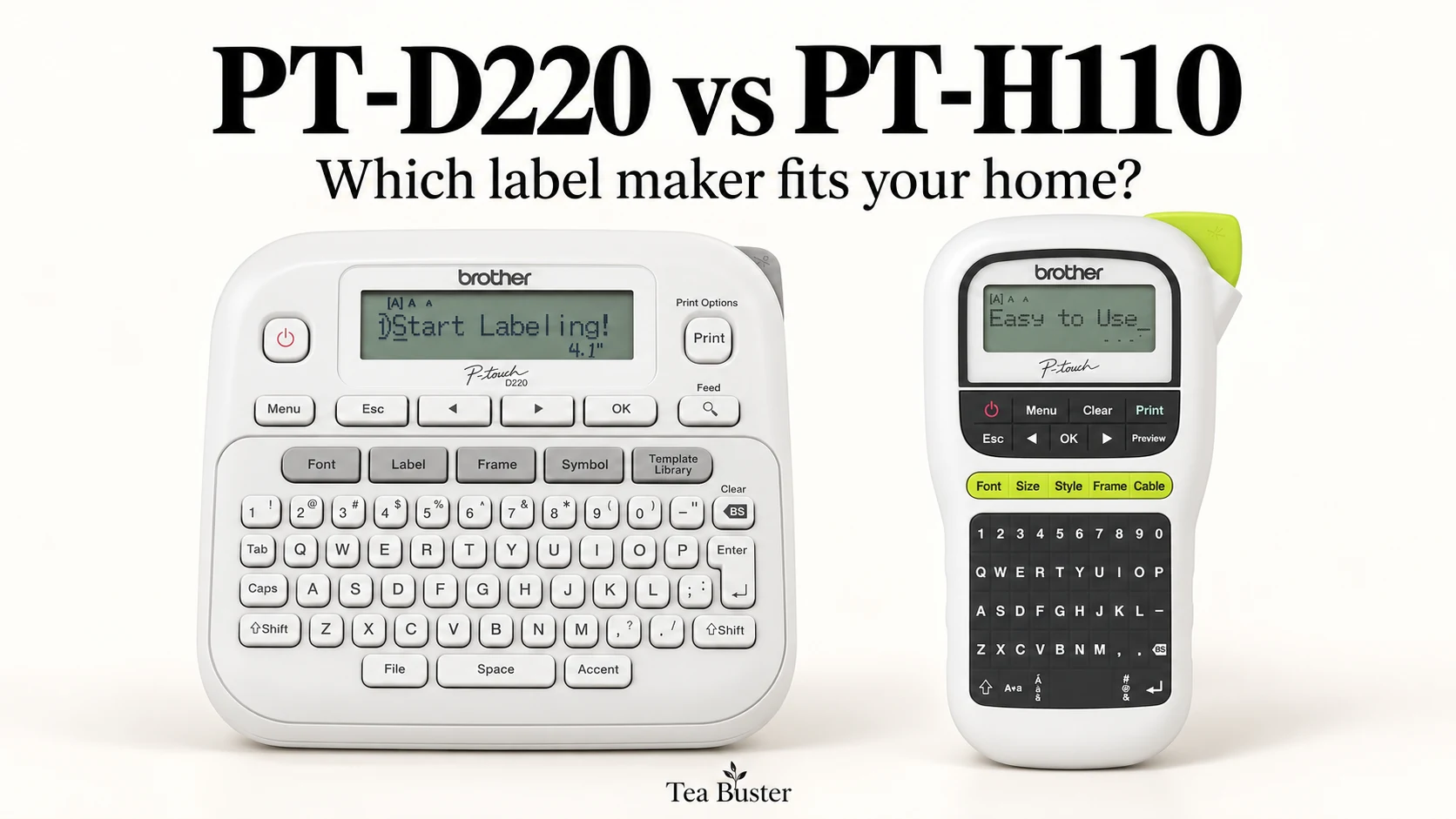
A good home label maker should make the next drawer, folder, or storage bin easier to identify. The harder question is whether paying for more fonts and layout options will actually improve the way you organize. That is the real choice between these two Brother P-touch models.
In this Brother PT-D220 vs PT-H110 comparison, the Brother PT-D220 is our choice for a dedicated home labeling station and more varied designs. The Brother PT-H110 makes more sense for straightforward labels when its simpler feature set comes at a worthwhile saving. Both use the same family of TZe tapes, so choosing the D220 does not buy you a wider label.
As an Amazon Associate I earn from qualifying purchases. This comparison is based on US product information and documented features; we have not hands-on tested these machines. Prices, bundles, and availability can change.
Our Top Picks
Choose the Brother PT-D220 if: you want more formatting choices, regularly reuse label layouts, and expect to work at a desk or counter. Its extra design options are useful when you want different rooms or collections to share a consistent labeling system.
Choose the Brother PT-H110 if: your labels mostly need clear names, short instructions, and basic organization. Its narrower handheld shape suits a grab-and-go routine, and there is little reason to pay for decorative choices you will rarely use.
Already unsure whether either style suits you? Our portable label maker buying guide compares a broader range of home organization options. This article focuses on deciding between these two specific models.
Brother PT-D220 vs PT-H110 at a Glance
| Feature | Brother PT-D220 | Brother PT-H110 |
|---|---|---|
| Format | Desktop | Handheld |
| Keyboard | Built-in QWERTY | Built-in QWERTY |
| Display | 15 characters, one line; not backlit | 15 characters, one line; not backlit |
| Fonts | 14 | 3 |
| Symbols | 650 | More than 250 |
| Saved label layouts | 30 | 15 |
| Maximum tape width | 12 mm | 12 mm |
| Supported TZe widths | 3.5, 6, 9, and 12 mm | 3.5, 6, 9, and 12 mm |
| Maximum printed lines | 2 | 2 |
| Power | Six AAA batteries or optional AC adapter | Six AAA batteries or optional AC adapter |
| Standard starter tape | 12 mm black on white, 4 m | 12 mm black on white, 4 m |
The PT-D220 saved-layout figure follows Brother’s US brochure and its saved-label specification. Package contents can vary by retailer: check the exact listing rather than assuming that a case, power adapter, batteries, or a full-length replacement tape comes with the machine.
Brother PT-D220: Better for a Home Labeling Station
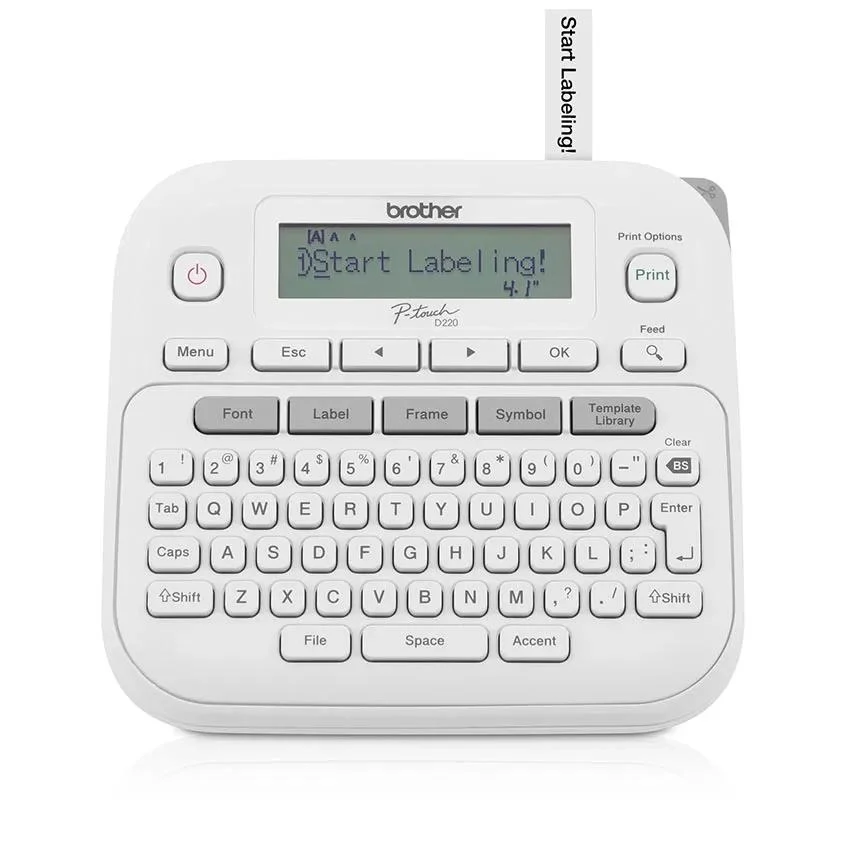
The Brother PT-D220 is the more flexible choice when you want to sit down and create a coordinated batch of labels. Think pantry containers, file folders, craft supplies, and storage boxes that should look as though they belong to the same system. Its advantage is the range of layouts you can build and keep, rather than a fundamentally different kind of tape.
Why choose it: More font choices give you room to distinguish a main category from a short detail without buying another machine. You could keep kitchen labels restrained, use a different style for school supplies, and reserve symbols for a shared family storage system. That flexibility matters if you enjoy refining layouts; it matters much less if every label will be plain text.
Saved layouts are most valuable when they reduce repeated setup. A label for a recurring folder, a container category, or a familiar storage bin can become a starting point for the next one. Rather than building a complicated design from scratch each time, use a small collection of repeatable formats. A consistent system is usually easier to maintain than a different font for every object.
What we like: The desktop format gives this model a clear role on a counter or work surface. Its design library leaves more room to experiment, while the additional saved layouts suit a household that labels several different collections. You can keep the process independent of a phone by typing directly on its keyboard.
Potential drawbacks: Extra formatting can become extra menu navigation if your goal is simply to print a name. The display is still a small, non-backlit screen, so this is not a large-screen design workstation. Buying it for wider pantry labels would also be a mistake: its tape-width limit is the same as the H110’s.
Who should buy it: Households creating labels in batches, people organizing several rooms, and anyone who values reusable formats more than the smallest possible machine. It is particularly sensible when the total kit price is close to the H110’s.
Who should compare alternatives: Shoppers who want large decorative container labels, phone-based layout editing, or a wider tape system. A higher font count will not solve a mismatch between the label size you need and the size the machine supports.
Brother PT-H110: Better for Simple, Everyday Labels
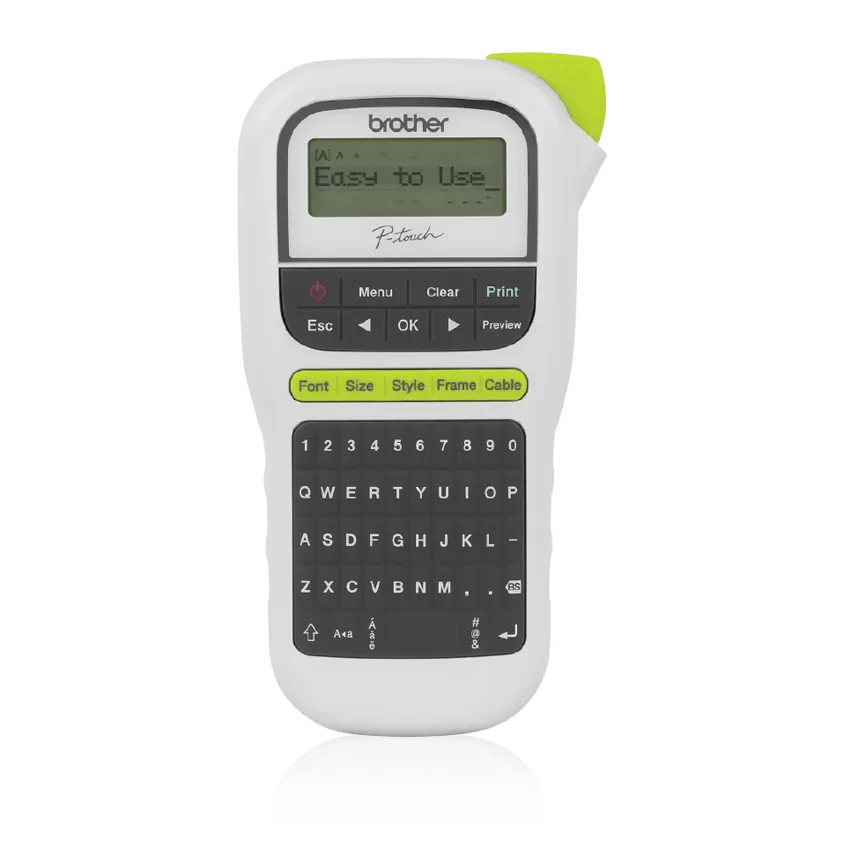
The Brother PT-H110 is the more straightforward buy for a household that wants to label things without making label design a project. A drawer marked “Batteries,” a box marked “Holiday lights,” or a folder marked “Insurance” rarely needs a large font library. What matters is that the text is clear and the chosen tape suits the object.
Why choose it: Its appeal is restraint. You still get a built-in keyboard, label preview, basic styling, and access to the same tape-width family as the D220. If those essentials cover your jobs, the practical benefit of spending more can be small. This is especially true for occasional use rather than a large one-time organization overhaul.
The handheld shape also gives it a different place in a routine. You might store it with stationery and bring it to the room you are organizing. That does not prove it will feel comfortable in every hand—we have not tested its grip—but the form factor is a meaningful difference to consider. If typing while holding a device sounds awkward, choose a machine you plan to use on a surface.
What we like: It keeps the purchase focused on ordinary text labels. Its smaller design library can be an advantage for someone who wants fewer decisions before printing. For a simple household naming system, three fonts may be all you ever need.
Potential drawbacks: The smaller saved-label capacity can become limiting if you build many reusable formats. There is also less room to vary the appearance of different collections. As with the D220, a non-backlit display deserves consideration if your usual workspace has poor lighting.
Who should buy it: Occasional organizers, families labeling school or stationery supplies, and buyers who can get a meaningfully cheaper complete kit. It is an easy model to justify when nearly every planned label is a short name.
Who should compare alternatives: Anyone who already knows they want multiple design styles, a larger collection of saved layouts, or labels beyond the supported width. If the price gap is tiny, the D220’s additional flexibility becomes easier to justify.
Which Is Better for Your Home Labeling Jobs?
Pantry jars and kitchen containers
For short ingredient names on small containers, either machine can do the basic job. Choose your tape color and contrast before worrying about font variety. A simple dark-on-light label may be easier to recognize quickly than a decorative design with crowded text. The D220 becomes more appealing when you want a coordinated set with repeatable formatting.
Measure the usable flat area of the container. A narrow strip works well along a lid edge or a small front panel, but it will not create the large printed label you may have seen in pantry makeover photos. For containers that will be washed, check the exact tape’s instructions and the container surface; do not treat all tapes as dishwasher-safe.
Folders, paperwork, and a home office
A folder naming system is often more useful than extra decoration. Decide whether labels will use a category, a date, or both, then keep that order consistent. Either model is a reasonable choice for uncomplicated filing. The D220 has the stronger argument when you repeatedly return to several saved formats.
Before printing a batch, test one label in the folder tab you actually use. Text that looks comfortably spaced on the machine’s preview may still be too long for a small tab. Shortening the wording is often a better solution than squeezing a full sentence into a tiny label.
Cables and chargers
Both models can help distinguish similar-looking equipment, but tape choice and placement deserve more attention than font selection. Check whether the particular tape and layout suit cable labeling. A flat strip on a curved cable is a different application from a label on a storage box.
Use descriptive wording such as the device name or room rather than an ambiguous number you will forget. Keep labels away from hot areas and connection points, and do not cover safety information. Neither machine’s presence in this comparison is a claim that an ordinary tape is suitable for every cable or electrical setting.
Craft supplies, toy bins, and shared storage
The D220 is the more attractive option when symbols and different layouts help you organize several collections. A consistent icon or naming pattern can make it easier for other household members to put things back. The extra options are useful only if they make the system easier to recognize.
The H110 remains a good choice for clear category names. Rather than printing a label for every small item, start with the containers that people actually use. A simple system that stays accurate is more useful than a beautifully labeled collection that becomes out of date.
Tape Compatibility and the Real Cost of Ownership
The purchase price is only the first part of the decision. Since these machines share the TZe tape family and width range, the machine with more design features does not automatically produce cheaper labels. Compare the exact tape you expect to buy, how much it contains, and how often you will replace it.
Compare complete kits. A low headline price is less helpful if you immediately need to add power supplies and tape. The standard starter tape is intended to get you going; it is not a reason to assume a bundle contains the same amount of tape as a separately sold replacement cassette. Retailer bundles deserve a line-by-line check.
Include power in your budget. Both models can use AAA batteries or an optional AC adapter. Check what the listing includes and use a compatible adapter specified for the model. For a machine that will live on a desk, an adapter may be worth considering. For occasional use around the house, you may prefer batteries. We have not measured battery life.
Estimate cost per useful label. Imagine a hypothetical $15 tape that produces 100 labels you actually keep: that is 15 cents per useful label. If repeated layout mistakes and discarded strips reduce that to 60, the cost becomes 25 cents. These are illustrative numbers, not a quoted tape price or a tested yield. They show why previewing text and planning a batch can matter more than a small difference in machine price.
Start with a short test label before committing to a large batch. Check spelling, width, contrast, and placement on the real object. Then print the remaining labels using the model’s documented printing options. Do not assume a zero-margin setting or identical tape waste across machines; consult the manual for the settings available on your unit.
If you consider third-party compatible tapes, verify the exact cassette compatibility and seller’s return terms. A low price alone does not tell you how the backing peels, how the adhesive behaves on your containers, or whether the print will remain readable in your intended environment. We have not tested replacement tapes for this comparison.
What to Check Before Buying Either Label Maker
1. Write down five real labels. Use examples from your own home, including the longest one. If they are all short names, the H110’s basic approach may be enough. If you immediately want several recurring formats, the D220 becomes a stronger fit.
2. Measure the available space. Check the flat area where the label will sit, not just the size of the object. Both machines top out at 12 mm tape. That is an important limit if you are picturing a bold decorative label on a large pantry jar or a storage tote read from across a room.
3. Choose the tape before the design. Think about surface material, moisture exposure, temperature, and whether you want the label to be removable. Match those needs to a specific tape’s instructions. A more expensive printer cannot make the wrong adhesive suitable for a difficult surface.
4. Check the keyboard and display expectations. These are standalone devices with small displays. If you expect the convenience of a large touchscreen preview or designing on your phone, reconsider the type of label maker you want rather than simply choosing the higher-spec model here.
5. Compare the delivered bundle price. Confirm the model number, tape contents, batteries, adapter, case, warranty terms, and return policy. A bundle is a good deal only if its extras are items you would otherwise buy.
6. Allow room to change your system. Start with a manageable set of categories. Overly specific labels can become inaccurate as the contents change. Reusable formats help, but they work best when the underlying naming system is simple.
A simple decision rule: Compare the two carts after adding the same kind of replacement tape and the power option you intend to use. If the D220 adds only a small amount to that total and you expect to save several layouts, choose it. If the H110 leaves enough money for supplies you actually need, and your labels are mostly plain text, keep the saving. There is no universal dollar threshold: the useful question is whether the extra features will change your own labeling routine.
For a first-time buyer: Resist buying a large tape assortment before you have checked one cassette on your real containers. A clear tape can look different against a dark box than against a white folder, and a label that fits a drawer front may be too large for a small lid. Start with one practical color combination, learn which sizes you use, then expand. This keeps the initial purchase focused and helps avoid a drawer full of supplies that do not suit your system.
For someone replacing an existing P-touch: Check your current cassette labels and compare them with the supported tape specifications before assuming your supplies will transfer. Also list the functions you use today. Moving to the D220 is more compelling if your current limitation is saved formats or design choice. Moving to either model is less compelling if the problem is narrow labels, awkward wording, or tape that does not suit the surface. Identify that limitation first, then buy the machine that actually addresses it.
For a shared household: Agree on naming and placement before printing dozens of labels. “Charging cables” may be more useful than a collection of individual device labels when several people share a drawer. Put the category where someone can read it while returning an item. Whichever model you choose, a clear system that everyone follows will do more for everyday organization than using every available font.
Our Verdict: Which Brother Label Maker Should You Buy?
Buy the Brother PT-D220 when you expect labeling to become a recurring home organization task. Its broader design choices and extra saved layouts make the strongest case for the upgrade. Choose it because you will use those features, rather than assuming a desktop model makes a larger or more durable label.
Buy the Brother PT-H110 when you want straightforward names and categories at a lower complete-kit cost. It covers the essentials without asking you to pay for as many formatting choices. If it is substantially cheaper and your planned labels are simple, it is the more sensible purchase.
If the actual prices are close, we lean toward the D220 for its room to grow. If your priorities are wider labels, app-based design, or a different printing workflow, step outside this two-model comparison. Our guide to portable label makers for home organization is the better place to compare those alternatives.
Frequently Asked Questions
Is the Brother PT-D220 worth the upgrade over the PT-H110?
The Brother PT-D220 is worth considering if you will use its larger font library and additional saved layouts. For plain labels made occasionally, the Brother PT-H110 may be the better value. Compare the complete kit prices before deciding: a small gap makes the D220 easier to justify, while a larger gap favors the simpler model.
Do the PT-D220 and PT-H110 use the same tape?
Both the Brother PT-D220 and Brother PT-H110 support TZe tapes in 3.5, 6, 9, and 12 mm widths. Check the exact cassette and intended application before buying. Shared tape compatibility does not mean every tape has the same adhesive or is suitable for every surface.
Which Brother label maker is better for pantry labels?
For coordinated designs and reusable formats, we would choose the Brother PT-D220. For short ingredient names, the Brother PT-H110 can be enough. Neither is the right choice if you specifically want labels wider than 12 mm. Match the tape to the container and its cleaning routine.
Can these label makers print two lines?
Both the Brother PT-D220 and Brother PT-H110 support up to two printed lines. Available layouts depend on the tape and settings, so check the manual before planning a two-line design on a narrow cassette. Keep wording short enough to remain readable.
Are batteries and an AC adapter included?
The standard US packages for the Brother PT-D220 and Brother PT-H110 do not include the six AAA batteries or optional AC adapter. Bundles may differ. Read the seller’s contents list and confirm adapter compatibility instead of relying on a product photo.
Which one is easier to use without a phone?
Both the Brother PT-D220 and Brother PT-H110 let you enter labels on their built-in keyboards without needing a phone. The H110 suits a simple text-first routine, while the D220 provides more design choices. We have not conducted a hands-on usability test, so our recommendation reflects their documented features.
How We Compared These Label Makers
We compared Brother’s US product specifications, standard package descriptions, and the PT-D220 product brochure, then considered how those differences affect everyday home buying decisions. We prioritized tape compatibility, reusable layouts, power requirements, format, and total kit cost over the number of decorative features alone.
This is a research-based comparison, not a hands-on test. We have not measured print speed, battery runtime, adhesive performance, durability, or typing comfort. The product photographs identify the models; the featured comparison artwork is an editorial composition. Recommendations should be checked against the exact retailer bundle you plan to order.