The best portable label makers help you create a system you can keep using after the first afternoon of organizing. A printer that makes attractive pantry labels is not automatically the right machine for chargers, garden supplies or a busy home office. Label material, width, typing method and refill cost matter more than how the device looks in a short video.
The Brother P-touch PT-D220 is our overall starting point for ordinary standalone household labels. Compare the Brother P-touch CUBE Plus PT-P710BT for rechargeable wider tape printing, or the NIIMBOT B1 for broader direct-thermal paper labels. These are different buying routes, not interchangeable versions of the same tool.
Our Top Picks
| Best for | Product | Shop | Review |
|---|---|---|---|
| Overall | Brother P-touch PT-D220 | CHECK PRICE ON AMAZON → | Jump to review → |
| Simple Handheld Use | Brother P-touch PT-H110 | CHECK PRICE ON AMAZON → | Jump to review → |
| Phone-Designed Tape Labels | Brother P-touch CUBE PT-P300BT | CHECK PRICE ON AMAZON → | Jump to review → |
| Rechargeable Wide Tape Labels | Brother P-touch CUBE Plus PT-P710BT | CHECK PRICE ON AMAZON → | Jump to review → |
| Keyboard and Computer Flexibility | Brother P-touch PT-D410 | CHECK PRICE ON AMAZON → | Jump to review → |
| Frequent Home-Office Labeling | Brother P-touch PT-D610BT | CHECK PRICE ON AMAZON → | Jump to review → |
| Basic Text Labels | DYMO LabelManager 160 | CHECK PRICE ON AMAZON → | Jump to review → |
| Rechargeable Keyboard Use | DYMO LabelManager 280 | CHECK PRICE ON AMAZON → | Jump to review → |
| Small App-Designed Labels | Phomemo D30 | CHECK PRICE ON AMAZON → | Jump to review → |
| Wider Indoor Container Labels | NIIMBOT B1 | CHECK PRICE ON AMAZON → | Jump to review → |
Choose the label material first, then decide whether you want a keyboard or phone app. A narrow laminated tape printer and a wider paper-label printer can both organize a home, but they suit different surfaces and layouts. Add replacement supplies and power accessories to the price before comparing models.
Best Overall Portable Label Maker: Brother P-touch PT-D220

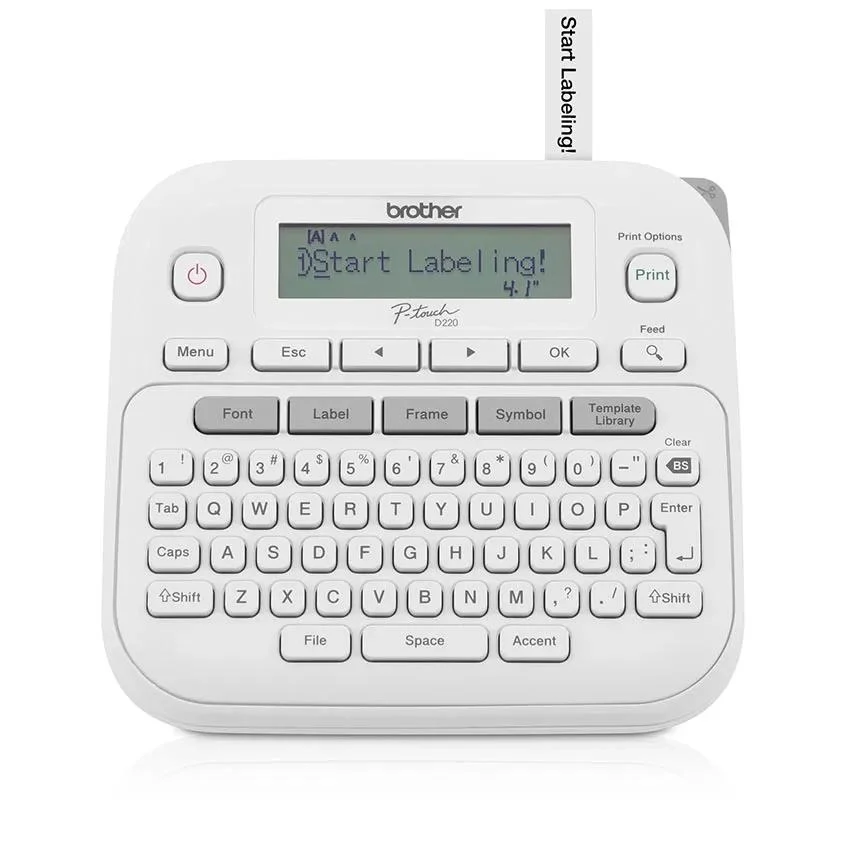
Why we recommend it: The Brother P-touch PT-D220 is our overall starting point for home organization because you can type and print directly on the machine. A full keyboard, print preview and quick formatting controls let you label a drawer or file without first connecting a phone.
It prints on Brother TZe tapes up to 12 mm wide. For ordinary cabinet, cable and folder labels, that is a useful size; for a large front-facing pantry label, it may feel narrow. The tape system matters as much as the machine: choose the label material and adhesive for the surface instead of assuming every roll has identical durability.
We would buy the D220 for repeatable everyday text labels. Its formatting choices give more flexibility than the simpler PT-H110 without making a phone app compulsory. Budget for six AAA batteries or the optional adapter, neither of which is included in the basic US package described by Brother. That changes the total cost of an apparently inexpensive starter purchase.
Key specifications
- Maximum tape width: 12 mm
- Control: Built-in QWERTY keyboard
- Consumables: Brother TZe tape
- Power: Six AAA batteries or optional adapter; check bundle
What we like
- Works without a phone for ordinary labels.
- A clear tape system and built-in formatting controls.
Potential drawbacks
- Basic US package does not include batteries or adapter.
- 12 mm maximum is limiting for large jar-front labels.
Who should buy it: Households wanting straightforward labels for drawers, cables, folders and storage boxes.
Who should compare alternatives: Buyers who want wider labels, phone-designed graphics or a rechargeable built-in battery.
Best Portable Label Maker for Simple Handheld Use: Brother P-touch PT-H110
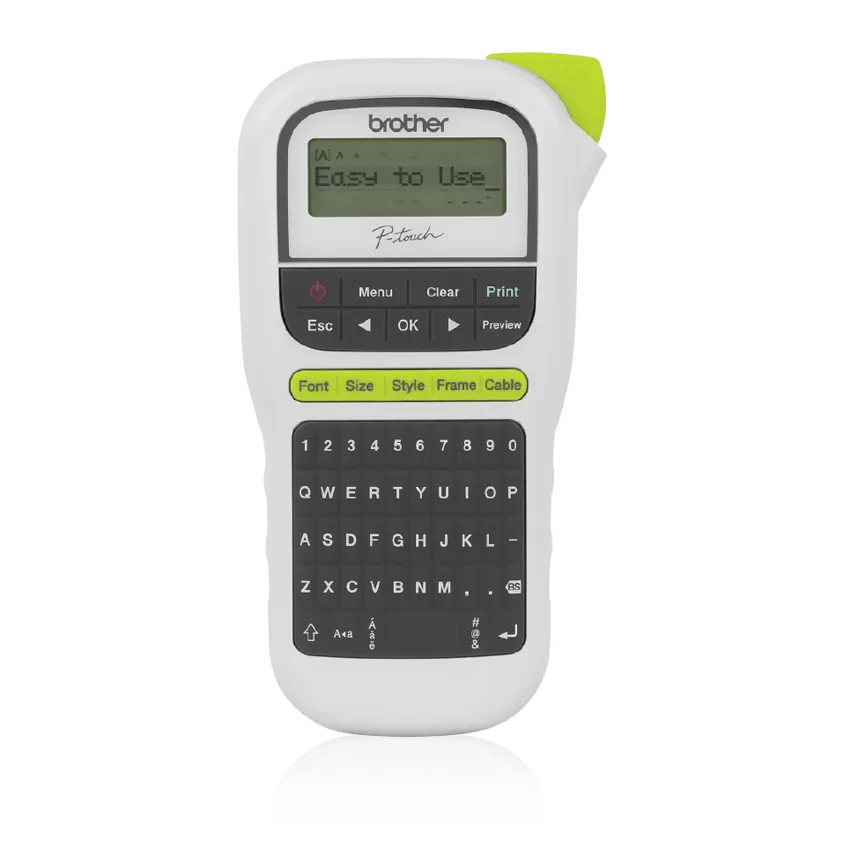
Why we recommend it: The Brother P-touch PT-H110 is a practical comparison if you want a smaller handheld keyboard device and do not need extensive design choices. It keeps the buying brief focused on readable text, a preview screen and a portable shape.
The US model supports TZe tape up to 12 mm, one- or two-line labels and storage for frequently reused designs. Its cable-labeling function is relevant to a desk with several similar chargers. The useful feature is being able to make the same short label again, not having hundreds of decorative frames you may never use.
Compare the PT-H110 with the PT-D220 before buying solely on price. Both require you to account for power supplies in the selected bundle, but their keyboard shapes and formatting choices differ. For quick portable labeling, the handheld layout may be more appealing; for a longer session at a table, a wider keyboard layout may suit you better. Neither needs a smartphone for ordinary operation.
Key specifications
- Maximum tape width: 12 mm
- Control: Handheld QWERTY keyboard
- Label layouts: One or two lines
- Power: Six AAA batteries or optional AC adapter
What we like
- A direct standalone route to short text labels.
- Handheld shape and stored labels suit repeat jobs.
Potential drawbacks
- No phone or computer design connection.
- Relatively narrow tape and limited design flexibility.
Who should buy it: People who want a simple portable keyboard tool for files, chargers and small storage labels.
Who should compare alternatives: Shoppers who expect large graphics, wide labels or phone-based layouts.
Best Portable Label Maker for Phone-Designed Tape Labels: Brother P-touch CUBE PT-P300BT
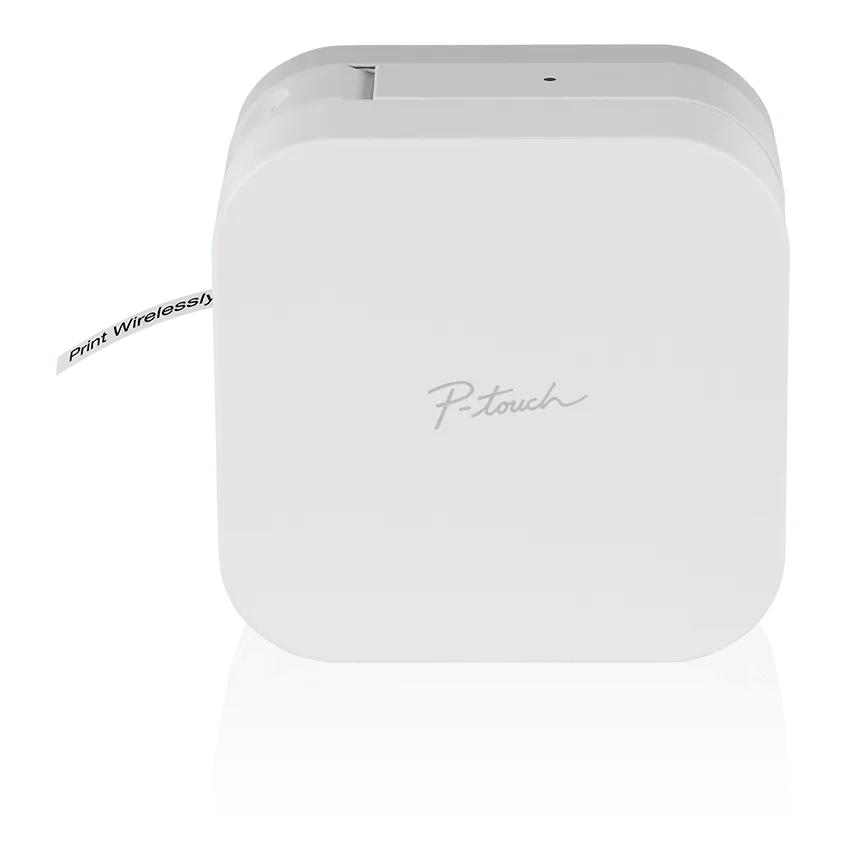
Why we recommend it: The Brother P-touch CUBE PT-P300BT is the phone-first comparison for shoppers who like designing on a larger screen but still want laminated tape labels. It replaces the built-in keyboard with Bluetooth-connected design through a compatible app.
It uses TZe tapes up to 12 mm. The key benefit is combining familiar phone editing with the same general tape family used by several standalone Brother models. You can prepare a consistent style for kitchen containers or desk drawers and keep the printer itself compact.
Choose it only if you are comfortable relying on a supported phone and app. It is not an independent keyboard label maker when the phone is unavailable. Compare the CUBE Plus if you need labels up to 24 mm rather than narrow strips. Also inspect the actual US bundle: the reviewed Brother package includes an adapter, while battery-powered use and other retailer bundles should be checked separately.
Key specifications
- Maximum tape width: 12 mm
- Connection: Bluetooth to supported mobile devices
- Design: P-touch Design&Print 2 app
- Consumables: Brother TZe tape
What we like
- Phone editing without switching to paper-roll thermal labels.
- Compact printer with an established tape family.
Potential drawbacks
- Depends on a compatible phone and app.
- Narrower labels than the CUBE Plus.
Who should buy it: Buyers who prefer phone-designed narrow laminated tape labels.
Who should compare alternatives: People who need standalone typing or larger front-of-bin labels.
Best Portable Label Maker for Rechargeable Wide Tape Labels: Brother P-touch CUBE Plus PT-P710BT

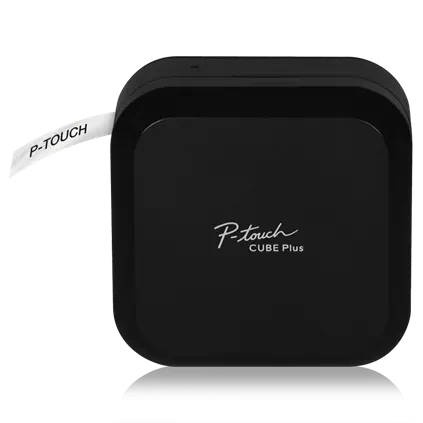
Why we recommend it: The Brother P-touch CUBE Plus PT-P710BT is our rechargeable wide-tape comparison. Its built-in rechargeable battery and 24 mm maximum tape width solve two limitations of simpler narrow-strip models: disposable battery purchasing and space for larger designs.
Brother’s US product description supports smartphone, tablet and computer design, including USB-connected desktop printing. A wider label can fit a clearer heading or a small graphic without shrinking everything into a 12 mm strip. That is relevant to larger storage bins, shared shelves and craft-room supplies.
There is no built-in typing keyboard, so the convenience depends on your preferred editing device. Be careful with model names: the CUBE, CUBE Plus and CUBE XP are different printers with different width capabilities. For the PT-P710BT, use the 24 mm specification, not a wider CUBE XP claim found in a related-product section. Pay for wider tape only if your intended labels need the extra space.
Key specifications
- Maximum tape width: 24 mm
- Connection: Bluetooth and USB
- Battery: Built-in rechargeable lithium-ion
- Consumables: Brother TZe tape
What we like
- Rechargeable power and wider labels in a compact format.
- Mobile and computer design options.
Potential drawbacks
- No standalone keyboard.
- Wider tape can increase ongoing supply costs.
Who should buy it: People making larger laminated labels who want a rechargeable phone/computer printer.
Who should compare alternatives: Shoppers who need only occasional short labels or want to type directly on the device.
Best Portable Label Maker for Keyboard and Computer Flexibility: Brother P-touch PT-D410
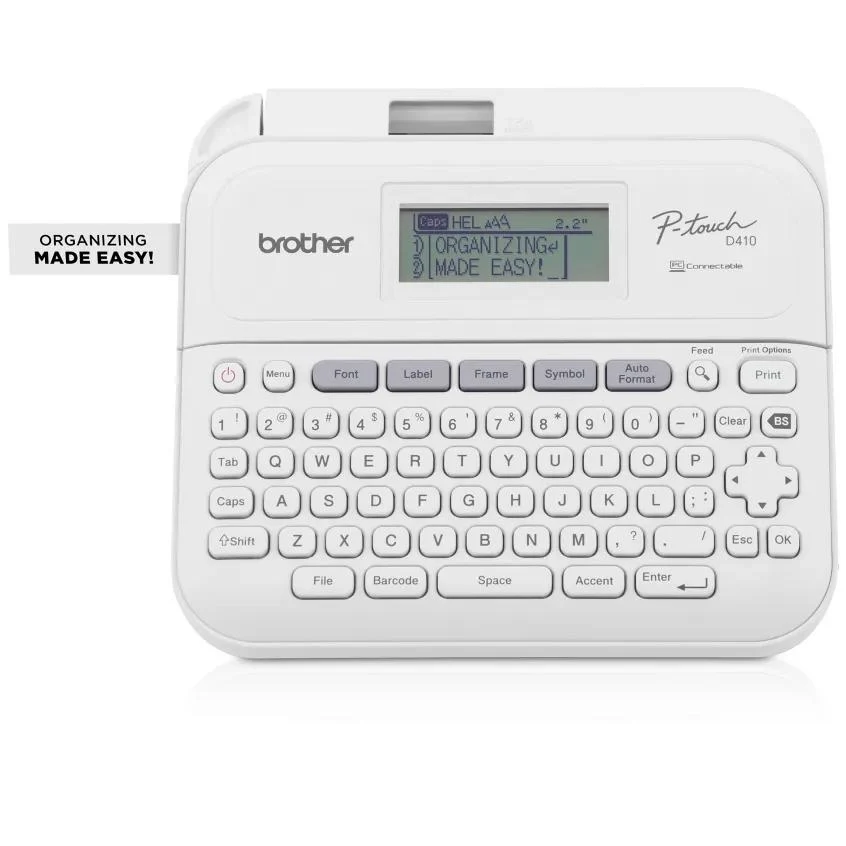
Why we recommend it: The Brother P-touch PT-D410 is a useful middle ground between a basic keyboard model and a more expensive Bluetooth printer. It gives you direct typing plus USB-connected computer design, with tape widths up to 18 mm.
The reviewed US package includes an AC adapter and USB cable. That matters when comparing complete costs against a model that requires additional power supplies. You can keep it on a desk for a long labeling session, then evaluate its documented battery option if you want to move it around the house.
Its role is a home-office labeling tool that can be moved, not a tiny pocket printer. Choose it when you expect both quick standalone labels and more deliberate computer layouts. If smartphone printing is the main reason for buying a connected model, compare the PT-D610BT or CUBE Plus instead. USB connectivity should not be mistaken for Bluetooth simply because the product name says connected.
Key specifications
- Maximum tape width: 18 mm
- Control: Keyboard plus USB-connected computer
- Design software: P-touch Editor
- Reviewed US package: Adapter and USB cable included
What we like
- Direct typing and computer layout options in one printer.
- An included adapter improves the complete starter package.
Potential drawbacks
- USB connection rather than phone-first Bluetooth design.
- Larger than minimalist handheld choices.
Who should buy it: Home-office users who want keyboard labels and occasional computer-designed layouts.
Who should compare alternatives: Buyers primarily looking for phone printing or a small rechargeable cube.
Best Portable Label Maker for Frequent Home-Office Labeling: Brother P-touch PT-D610BT
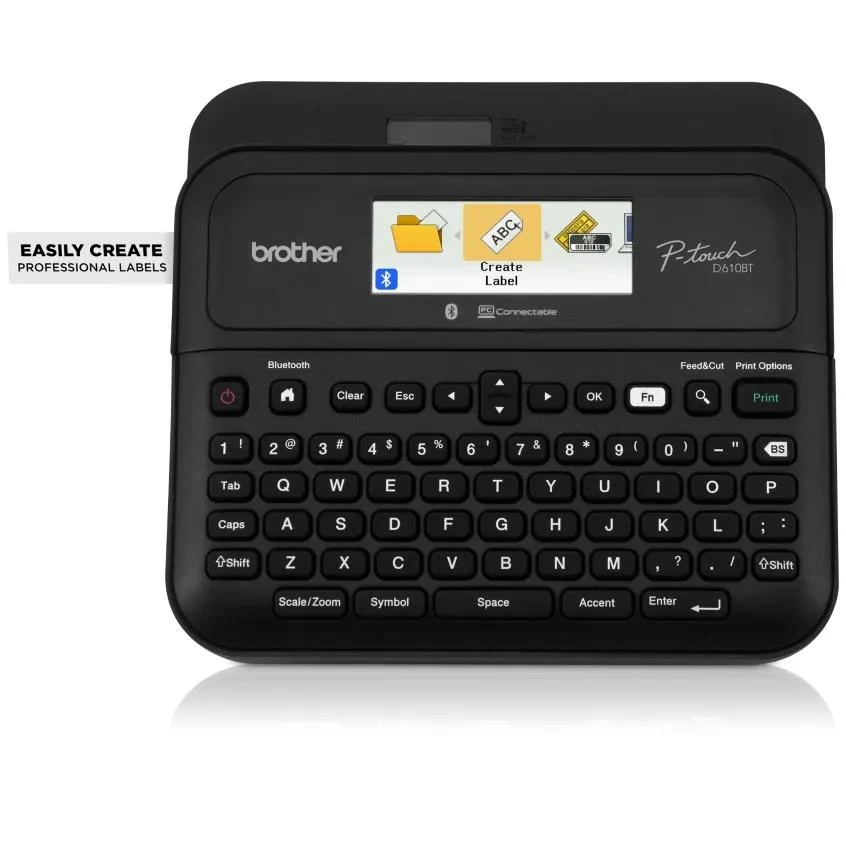
Why we recommend it: The Brother P-touch PT-D610BT is the higher-feature keyboard option for households that label often and want several design routes. It combines standalone controls with Bluetooth mobile printing and USB/computer design, and accepts TZe tape up to 24 mm.
That extra width is useful for shelf headings, larger file systems and more structured layouts. Its advantage over a compact app-only model is that you can still produce ordinary text labels directly on the machine. The trade-off is size: this is a desk-oriented device you can move, not a small printer to slip into a crowded drawer.
Buy it for a repeat workflow, not simply because it is the most advanced model in the list. If you mostly print a handful of charger labels, the PT-D220 may meet the need with less expense and complexity. If you want wide tape and phone design but rarely type on the machine, the CUBE Plus is a more focused comparison.
Key specifications
- Maximum tape width: 24 mm
- Control: Standalone keyboard
- Connections: Bluetooth and USB
- Consumables: Brother TZe tape
What we like
- Standalone and connected design routes.
- Wide tape supports larger readable labels.
Potential drawbacks
- A more substantial desk-oriented machine.
- Unnecessary features for occasional short labels.
Who should buy it: Frequent label makers who value a keyboard plus mobile and computer options.
Who should compare alternatives: People seeking a small simple printer for a few household tags.
Best Portable Label Maker for Basic Text Labels: DYMO LabelManager 160

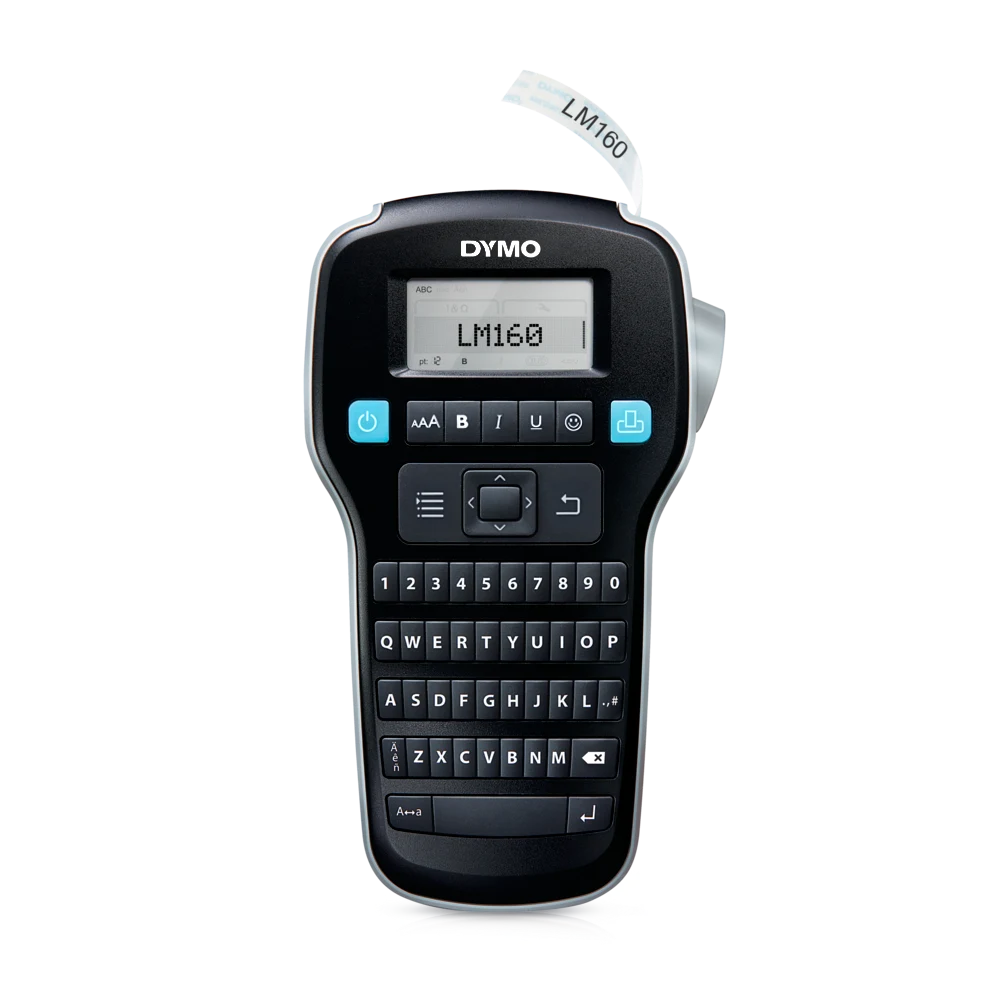
Why we recommend it: The DYMO LabelManager 160 is a straightforward alternative if you prefer the DYMO D1 tape system and a built-in keyboard. It provides direct formatting controls and short-label printing without a phone connection.
The user guide lists D1 cassettes in quarter-inch, three-eighth-inch and half-inch widths. That makes it a text-strip tool for files, switches and drawers rather than a wide sticker printer. Preview the label and choose a readable size before cutting, especially when several similar folders need to be identified at a glance.
We would compare the LabelManager 160 with the Brother PT-H110 as a simple standalone purchase. The important difference may be which tape refills are easy for you to find at a reasonable cost. Do not compare only the machine price while ignoring the rolls you will buy repeatedly. If rechargeable power or computer connection is essential, look at the LabelManager 280 rather than expecting those features from the 160.
Key specifications
- Tape widths: 1/4, 3/8 and 1/2 inch D1 cassettes
- Control: Built-in keyboard
- Power: Battery-powered; check selected package
- Design role: Short standalone text labels
What we like
- Clear standalone text-label workflow.
- Several narrow D1 tape widths.
Potential drawbacks
- Not a phone-connected graphic sticker printer.
- Power supplies and tape refills affect total cost.
Who should buy it: Buyers who want simple keyboard text labels and prefer D1 tape supplies.
Who should compare alternatives: Shoppers who need rechargeable power, large sticker formats or app editing.
Best Portable Label Maker for Rechargeable Keyboard Use: DYMO LabelManager 280
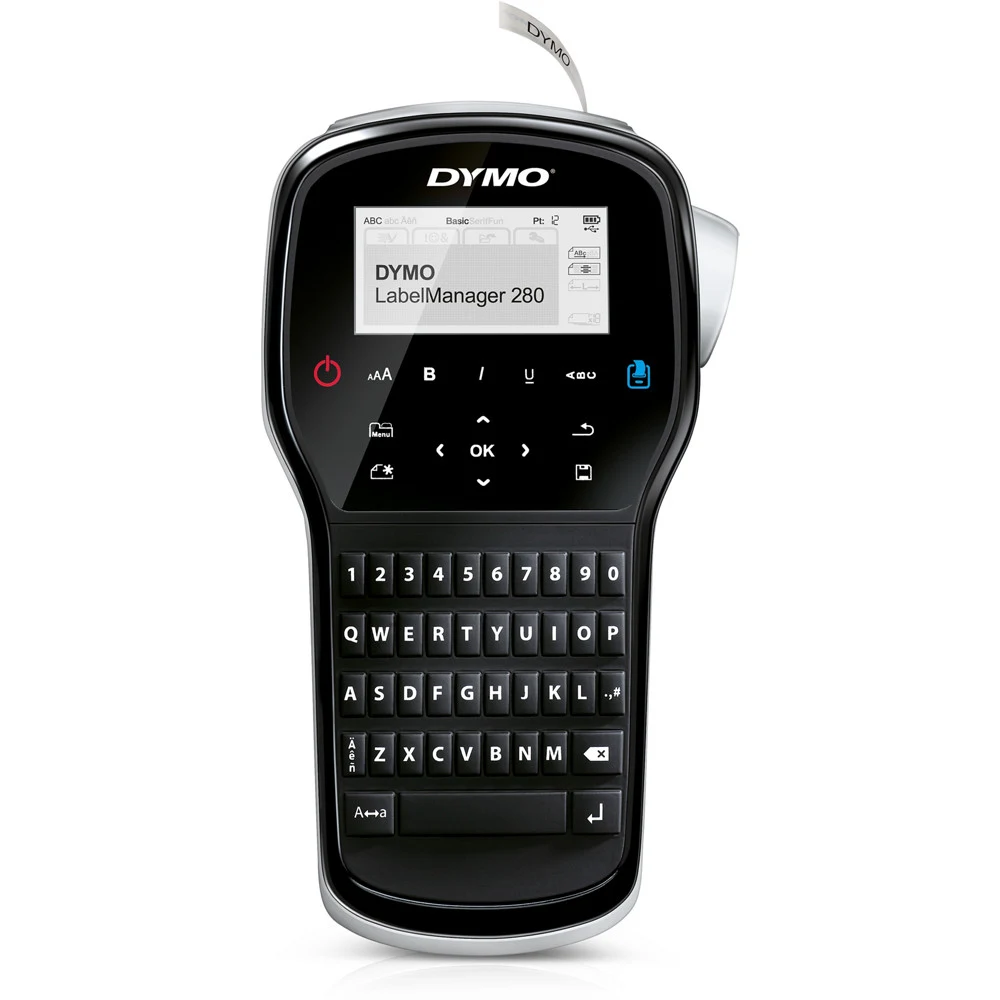
Why we recommend it: The DYMO LabelManager 280 is the rechargeable keyboard comparison for buyers who like standalone typing but do not want to keep buying disposable batteries. DYMO lists a rechargeable lithium-ion power source and computer connectivity alongside the built-in controls.
For a home-office session, that means quick short labels can be entered directly, while more involved layouts can be prepared on a supported computer. Check the currently supported software and operating system before choosing it for that second function. A long-lived hardware model does not automatically mean every newer computer setup is supported.
Compare the complete kit with a LabelManager 160 plus the power supplies you would otherwise purchase. The 280 is most persuasive when rechargeable operation is a daily convenience rather than a feature used twice a year. It is still part of the narrow D1-tape category, so a larger jar-front sticker calls for a different format rather than a more elaborate text layout.
Key specifications
- Tape family: DYMO D1
- Control: Standalone keyboard
- Connection: Supported PC / Mac connection
- Battery: Rechargeable lithium-ion
What we like
- Rechargeable operation with direct keyboard input.
- Computer design offers another workflow.
Potential drawbacks
- Check present software compatibility before purchase.
- Still a narrow-tape tool rather than a wide sticker printer.
Who should buy it: Regular keyboard label users who specifically want rechargeable power.
Who should compare alternatives: Buyers who primarily need phone design or wider decorative labels.
Best Portable Label Maker for Small App-Designed Labels: Phomemo D30

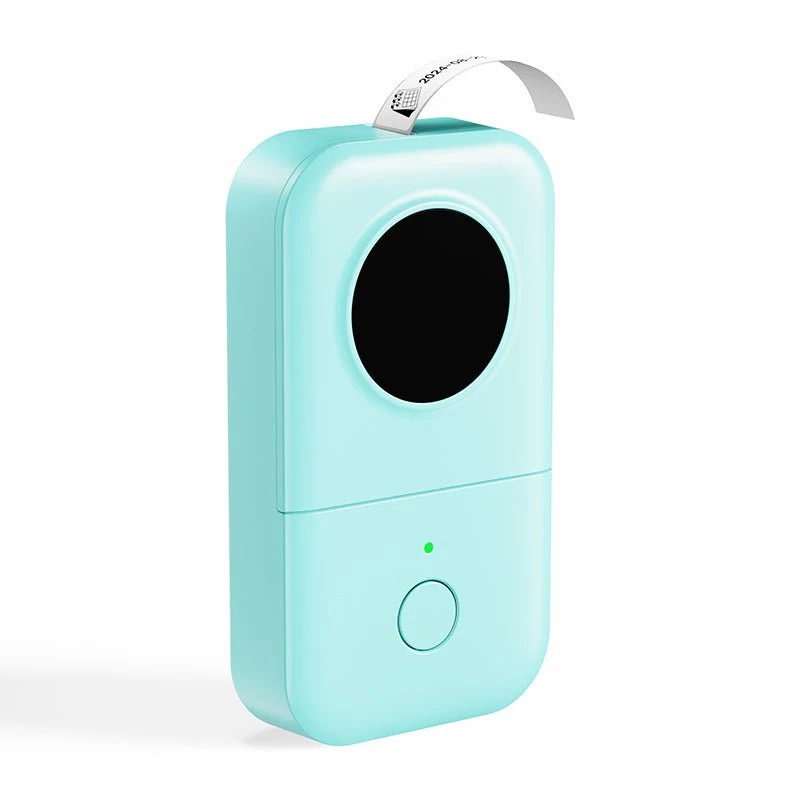
Why we recommend it: The Phomemo D30 is the small direct-thermal comparison for shoppers who want a phone-controlled printer for everyday tags. Its compact format is appealing for short names, drawer labels and simple home-organization designs.
This is a different consumable category from laminated TZe or D1 tape. Direct-thermal label paper does not use an ink cartridge, but the choice of paper and adhesive determines how well the label handles moisture, friction, heat and light. Do not treat an inkless printer as proof that every roll is suitable for a dishwasher or an outdoor container.
Before buying, check the label sizes and formats supported by the specific D30 version, along with your phone’s app compatibility. Compare the NIIMBOT B1 if you want broader label formats, or the Brother CUBE if laminated tape is more important than a small paper-label printer. The D30 makes sense when portability and app design are your main priorities.
Key specifications
- Printing: Direct thermal; no ink cartridge
- Control: Supported mobile app / Bluetooth
- Consumables: D30-compatible label paper
- Published resolution: 203 dpi
What we like
- Small printer for quick app-designed tags.
- No ink or toner cartridge to replace.
Potential drawbacks
- Paper durability depends on the selected supply.
- A phone and compatible app are part of the workflow.
Who should buy it: Shoppers who want small indoor tags designed from a phone.
Who should compare alternatives: Buyers who need large labels or a clearly specified laminated tape system.
Best Portable Label Maker for Wider Indoor Container Labels: NIIMBOT B1


Why we recommend it: The NIIMBOT B1 is our wider direct-thermal comparison for indoor storage and container labels. Its published label-width range is 20 to 50 mm, which gives more room than a narrow text-strip printer when the front of a bin or jar needs a clear heading.
The US product page lists Bluetooth control, portable operation and 203 dpi printing. A wider label can hold a name, short note or simple layout without compressing all the text. That benefit depends on using a compatible label size and previewing the design before printing, not simply selecting the largest font available.
Consider the B1 when paper-label format is acceptable and you want larger indoor labels from a phone. Compare the Brother CUBE Plus if laminated tape and a rechargeable compact printer are the priorities. Also distinguish B1, B1 Pro and other NIIMBOT models in marketplace listings: different names may mean different compatibility. Check the exact paper roll before placing a refill order.
Key specifications
- Published label width: 20–50 mm
- Resolution: 203 dpi
- Control: Bluetooth / supported app
- Printing: Direct thermal
What we like
- Wider label formats for indoor storage containers.
- A portable phone-based design route.
Potential drawbacks
- Compatible paper and app support need checking.
- Paper labels are not interchangeable with laminated tape.
Who should buy it: Buyers who want broader indoor container labels and prefer phone editing.
Who should compare alternatives: People who want keyboard operation or laminated narrow-strip labels.
Portable Label Maker Comparison
| Product | Label width / format | Typing and design | Supplies and power |
|---|---|---|---|
| Brother P-touch PT-D220 | 12 mm | Keyboard | TZe tape; AAA/optional adapter |
| Brother P-touch PT-H110 | 12 mm | Handheld keyboard | TZe tape; AAA/optional adapter |
| Brother P-touch CUBE PT-P300BT | 12 mm | Phone / Bluetooth | TZe tape; verify power bundle |
| Brother P-touch CUBE Plus PT-P710BT | 24 mm | Phone / computer | TZe tape; rechargeable battery |
| Brother P-touch PT-D410 | 18 mm | Keyboard / USB computer | TZe tape; adapter in reviewed kit |
| Brother P-touch PT-D610BT | 24 mm | Keyboard / phone / computer | TZe tape; check full bundle |
| DYMO LabelManager 160 | Up to 1/2 inch | Keyboard | D1 tape; battery power |
| DYMO LabelManager 280 | Narrow D1 tape | Keyboard / computer | D1 tape; rechargeable battery |
| Phomemo D30 | Small D30-compatible paper labels | Phone / Bluetooth | Direct-thermal label paper |
| NIIMBOT B1 | 20–50 mm | Phone / Bluetooth | Direct-thermal label paper |
How to Choose a Portable Label Maker
Laminated tape or direct-thermal paper?
Start with the place the label will live. A file folder in a drawer has different demands from a water bottle, a cable near a window or an outdoor storage box. A printer name does not define durability; the actual tape or paper roll and adhesive do.
The Brother P-touch PT-D220 and Brother P-touch CUBE Plus PT-P710BT use TZe tapes. DYMO keyboard models use D1 supplies. The Phomemo D30 and NIIMBOT B1 use compatible direct-thermal paper. Compare the supply instructions for water, heat, sunlight and cleaning chemicals instead of assuming every inkless label has the same resistance.
Check the width before buying a design feature
A 12 mm strip is useful for a short drawer name or cable ID. It can feel restrictive if you want a large pantry heading and a second line of instructions. On the other hand, a broad sticker is awkward on a small charger or narrow folder tab.
The Brother P-touch PT-D410 increases the tape width to 18 mm, while the Brother P-touch PT-D610BT and CUBE Plus support 24 mm. The NIIMBOT B1 offers broader paper-label formats. Measure the available space on a few real containers before choosing, and remember that supported label width is not necessarily the same as printable text height.
Choose the typing method you will actually use
A built-in keyboard is useful when you want to print one label immediately without unlocking a phone, pairing a device or opening an app. It is also convenient for a shared family tool that different people can use without installing software.
Phone design is appealing for layouts, templates and a familiar touch keyboard. The Brother P-touch CUBE PT-P300BT takes that route with laminated tape, while the Phomemo D30 is a compact paper-label option. Check supported phones, permissions and app availability before buying. Some apps offer optional paid designs; confirm the features you need work on the available free plan rather than assuming every template is included.
Compare the complete first-year cost
Add the machine, needed batteries or adapter, and two or three replacement rolls you realistically expect to use. A sample roll included with the printer is a starter supply, not a year of free labels. Different widths, colors and specialty adhesives can have different prices.
The Brother P-touch PT-D220 basic package requires you to account for batteries or an adapter. The Brother P-touch PT-D410 reviewed US bundle includes an adapter and cable. Rechargeable models such as the DYMO LabelManager 280 and Brother CUBE Plus avoid repeat disposable-battery purchases, but they may cost more upfront. Compare complete bundles rather than photographs with accessories arranged around the printer.
Which Label Maker Fits Your Home?
For a desk and cable drawer, a simple standalone model is often enough. Short clear names such as monitor, phone and backup drive are more useful than decorative designs. The Brother P-touch PT-H110 and DYMO LabelManager 160 are sensible comparisons when those are your main jobs.
For pantry jars and broad storage bins, prioritize readability from the normal viewing distance. The NIIMBOT B1 provides wider paper formats, while the Brother CUBE Plus gives a wider laminated-tape option. Do not cover a food container’s required care information or use a decorative label as a substitute for keeping track of food dates and storage instructions.
For frequent home-office labeling, decide whether a keyboard, computer or phone is the default workflow. The PT-D410 is a USB-connected middle ground; the PT-D610BT adds more connection options and wider tape. Avoid paying for several editing routes if you know you will only type on the machine.
For a cleaning cupboard, mark tools and replacement heads so they return to the right place. Our electric spin scrubber guide compares long-handle and detail-cleaning options. A label maker supports that organization system, but buying more devices will not help if the storage layout is already difficult to use.
How We Selected These Products
Tea Buster compared official product descriptions, manuals, connection options, supported label formats and stated package contents. We separated laminated tape printers from direct-thermal paper printers and standalone keyboards from app-dependent models. We have not measured print quality, adhesive durability or battery life ourselves. Where regional packages or related-model descriptions differ, buyers should confirm the exact US model and selected bundle. Our recommendations prioritize a clear home-organization use rather than an invented performance score.
Frequently Asked Questions
What is the best portable label maker for home organization?
The Brother P-touch PT-D220 is our overall starting point for ordinary standalone home labels. It has a keyboard and supports TZe tape up to 12 mm. Compare the NIIMBOT B1 if larger indoor paper labels are the priority, or the Brother CUBE Plus for wider rechargeable tape printing.
Which label maker is best for pantry jars?
Measure the jar-front space first. The NIIMBOT B1 offers broader paper formats, while the Brother P-touch CUBE Plus PT-P710BT supports laminated tape up to 24 mm. Check the chosen supply’s moisture and cleaning instructions. A wide design is useful only if the label suits the container and remains readable.
Do portable label makers need ink?
The models in this guide do not require a conventional ink cartridge. However, the Brother P-touch PT-D220 still needs compatible tape, and the Phomemo D30 needs suitable direct-thermal label paper. Inkless printing does not mean printing is free, or that every supply has the same durability.
Should I choose Bluetooth or a keyboard?
Choose a keyboard such as the Brother P-touch PT-H110 for immediate standalone text labels. Choose the Brother P-touch CUBE PT-P300BT or Phomemo D30 if you prefer phone design and are comfortable using an app. For both keyboard and connected options, compare the PT-D610BT.
Which portable label makers are rechargeable?
The Brother P-touch CUBE Plus PT-P710BT has a built-in rechargeable battery, and the DYMO LabelManager 280 is a rechargeable keyboard option. Confirm the selected bundle’s charging accessories. Do not assume the basic PT-D220 includes rechargeable power simply because it can be used without an outlet.
Can these label makers print shipping labels?
Do not buy a narrow tape model such as the Brother P-touch PT-D220 for standard parcel shipping labels. The NIIMBOT B1 also uses smaller formats than a typical four-by-six-inch shipping label. Match the carrier’s required size and barcode layout to a printer designed for that task.
Are label maker labels dishwasher-safe?
That depends on the specific label material, adhesive, container and care instructions. The Brother CUBE Plus can use different TZe supplies, while the NIIMBOT B1 uses different paper rolls. Do not treat a water-resistant claim as a universal dishwasher-safe guarantee. Check the exact roll before labeling washable items.
Is a more expensive label maker worth it?
It can be if it solves a specific limit: wider tape, rechargeable power or multiple design routes. The Brother P-touch PT-D610BT offers more capability than a simple keyboard tool, but a PT-H110 may be enough for a few charger and folder labels. Pay for features that fit a recurring job.
Which One Should You Buy?
Choose the Brother P-touch PT-D220 for straightforward everyday labels, the Brother P-touch CUBE Plus PT-P710BT for rechargeable wider tape printing, or the NIIMBOT B1 for broader indoor paper labels. For a home office mixing direct typing and computer layouts, compare the PT-D410. The strongest purchase is a printer whose label width, material and refill system fit your actual containers—not the device with the longest list of fonts.
Related Reading